An identity practice for iPhone and iPad

Stop repeating yesterday.

Define your future. Turn it into quests.
End each day with an honest review.

Start with a guided reset: reflect in the morning, notice patterns during the day, then review a plan for tomorrow. Keep returning to the small actions that move you forward.

iPhone and iPad beta available on TestFlight. Requires iOS 26 or iPadOS 26 or later. The public App Store release is waiting for App Review.

  • Pay once
  • Lifetime access
  • No subscription
01 / DashboardFuture → today
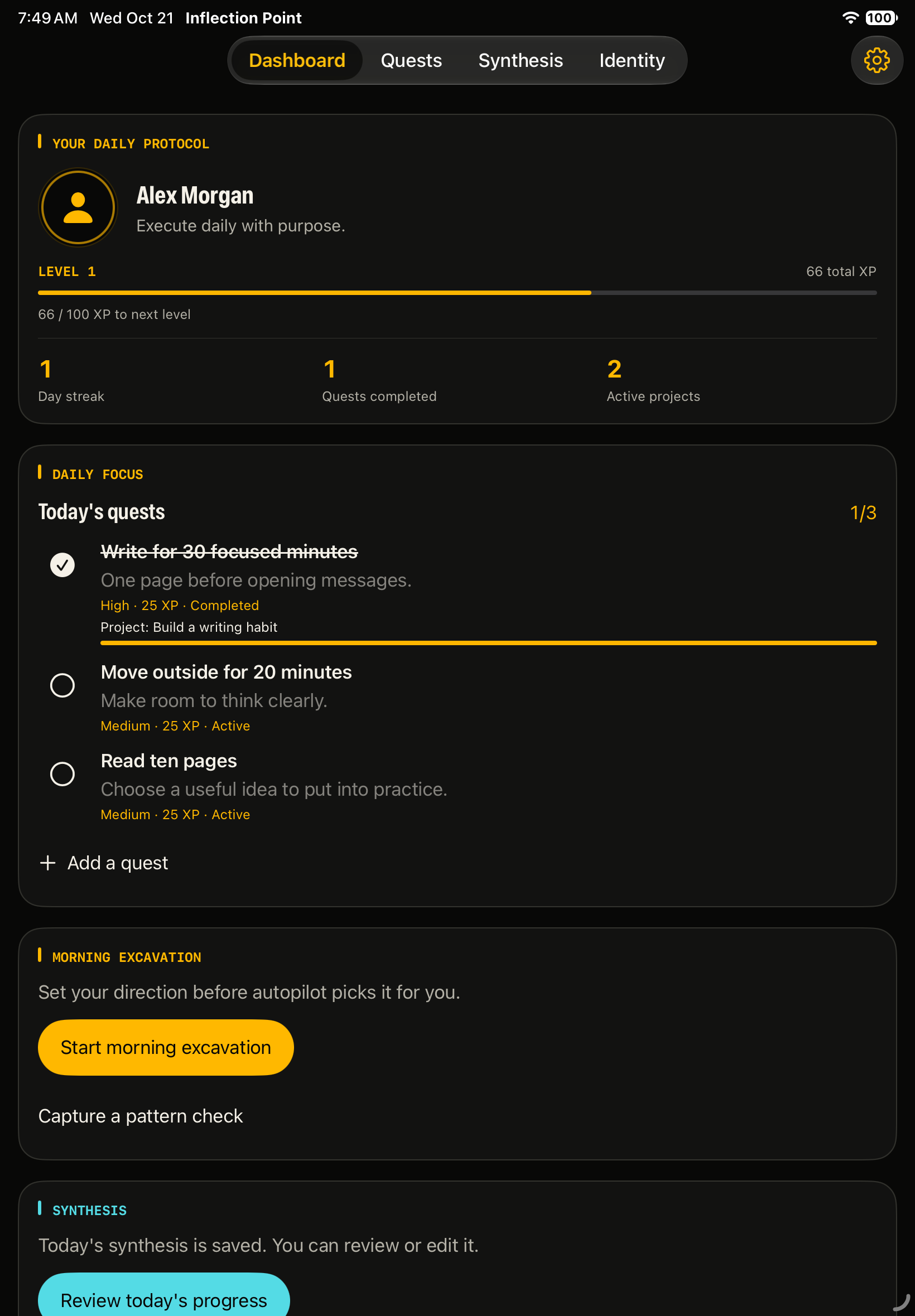
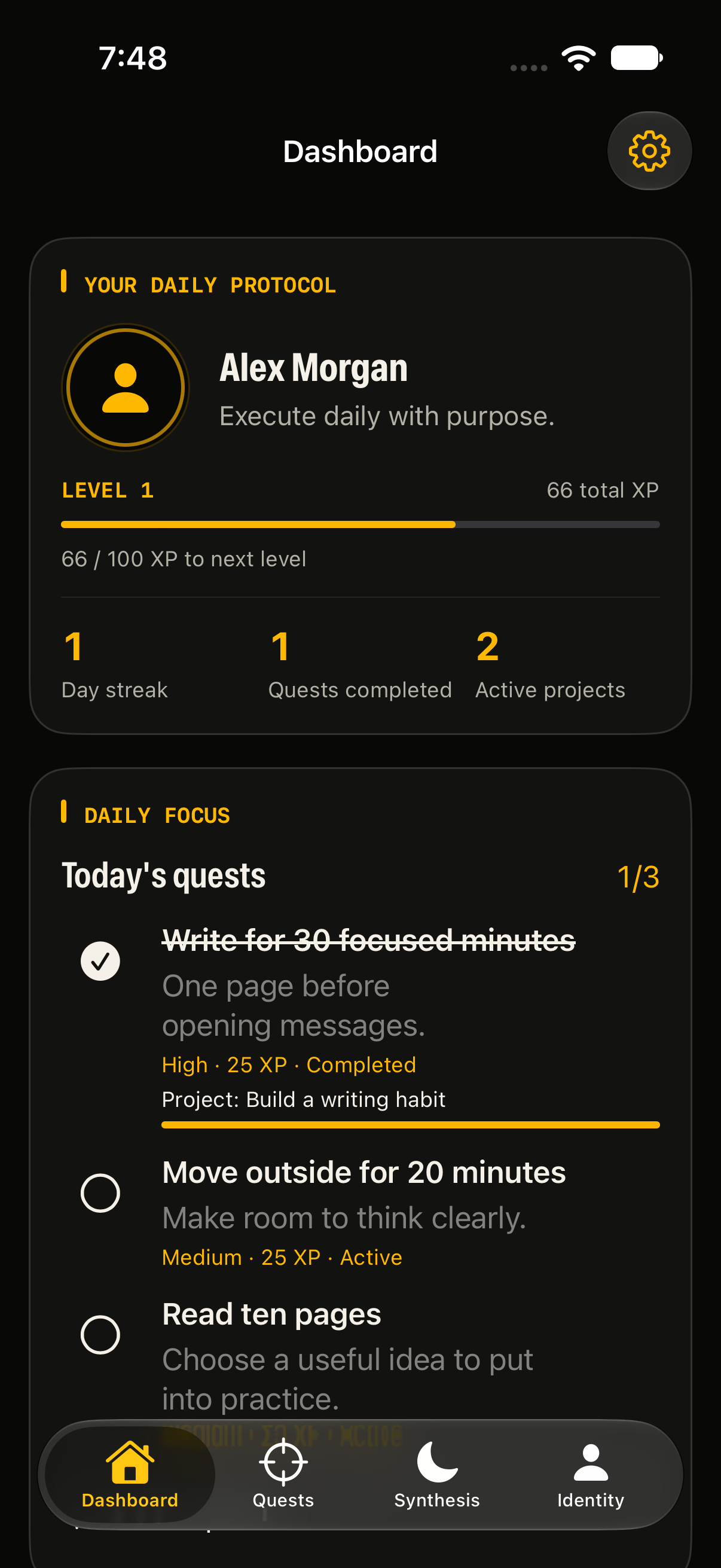
Native Dashboard showing identity, daily focus and quest progress with fictional sample data.
Build 11 source · iPhone simulator · Fictional sample data

01 / A guided reset

From reflection
to a plan.

Make space to notice what needs to change. Move through the day at your own pace, then choose what you want to do next.

  1. Morning: look at the pattern.

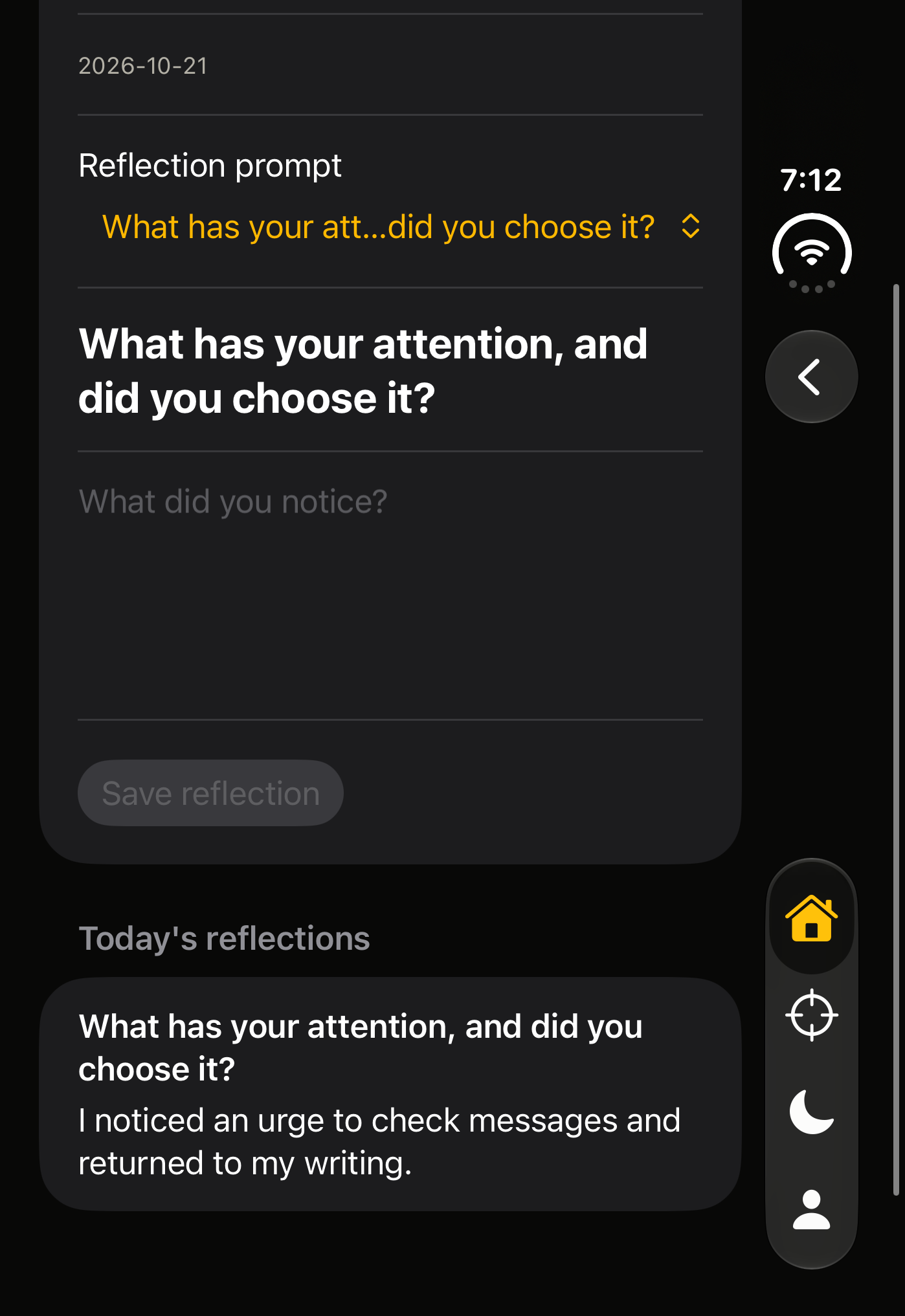
    Eight prompts help you reflect on your habits, identity and direction. Save your progress, pause and return when you’re ready.

  2. Daytime: notice it in real life.

    Record short pattern check-ins as the day unfolds. Optional reminders help you make room for the practice on your schedule.

  3. Evening: choose tomorrow’s direction.

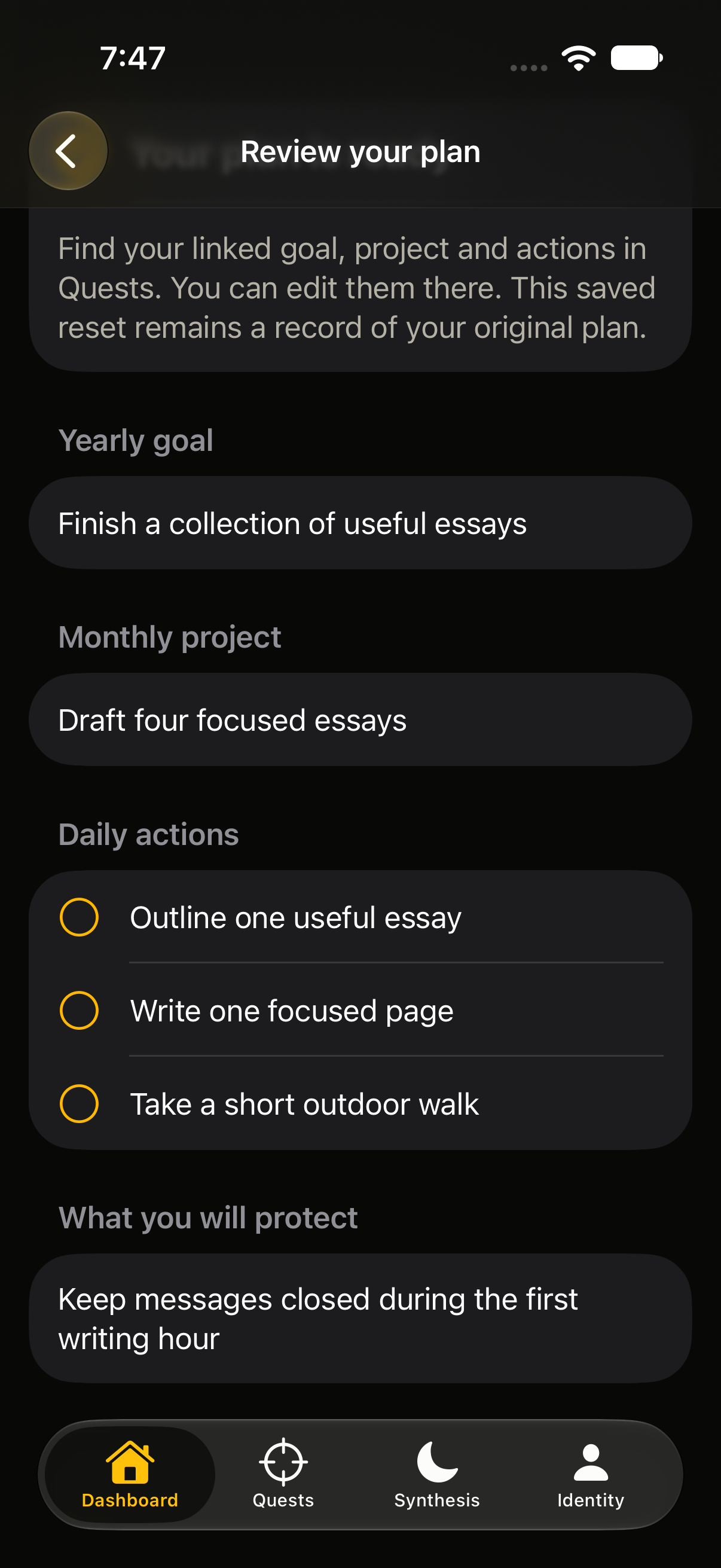
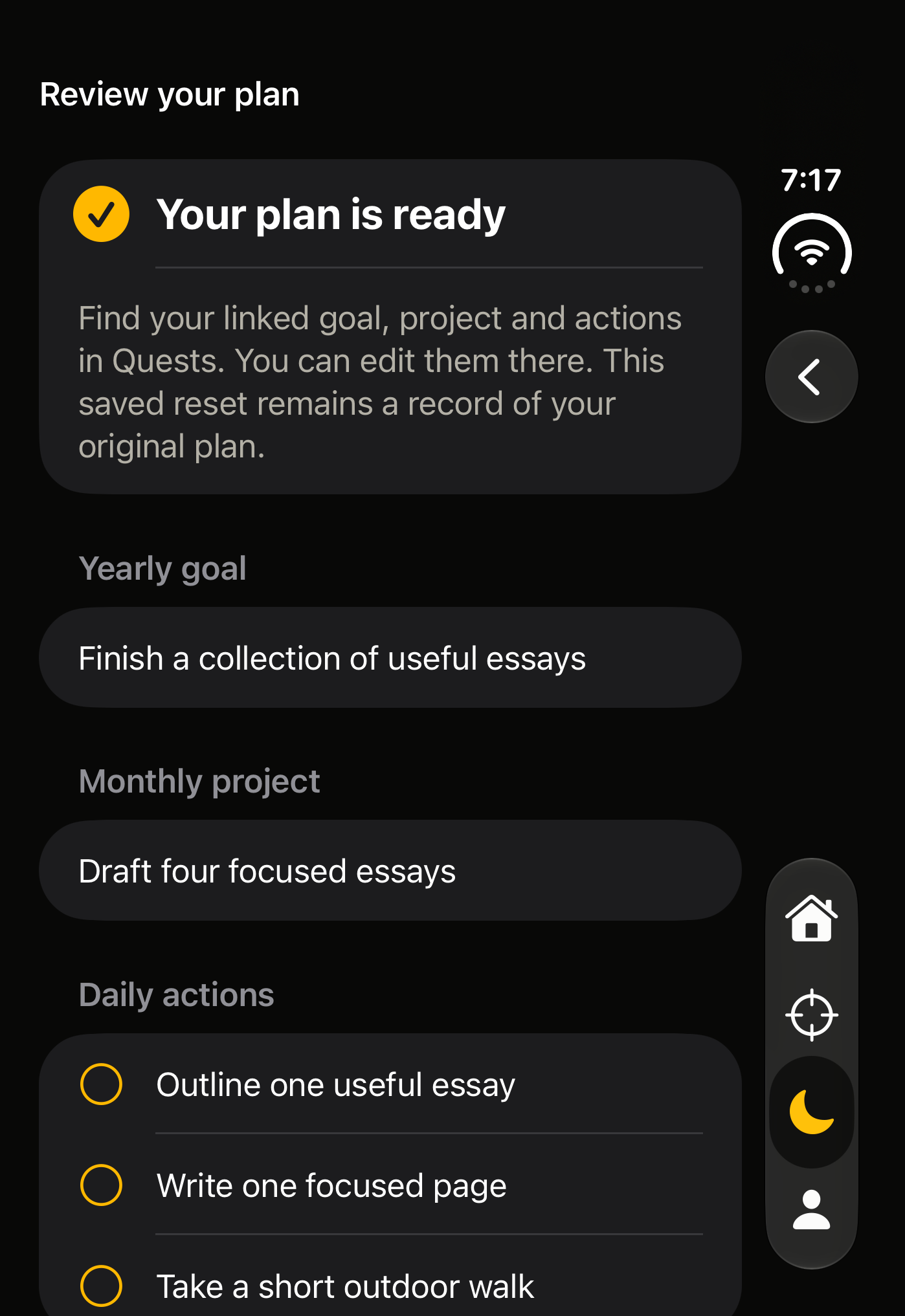
    Bring your reflections into a yearly goal, a monthly project and two or three actions for tomorrow. Review everything before choosing Create my plan. You write it; you decide what to save.

A saved plan connected to your reflections.
Build 11 source · iPhone simulator · Fictional sample data

A manual exercise, with no AI required. Inspired by Dan Koe’s one-day reset article. Inflection Point is an independent app, not affiliated with or endorsed by the author.

02 / The protocol

A future worth choosing.
A day you can act on.

Connect the big picture to the next small action. Each part gives the next one a reason.

  1. Anti-vision

    Name the future you want to move away from.

  2. Vision

    Describe the person and life you want to build.

  3. 1-Year Goals

    Give that direction a concrete next chapter.

  4. Projects

    Break your goals into work you can move forward.

  5. Daily Quests

    Choose the actions that matter today.

  6. Synthesis

    Record the day. Notice what worked. Adjust tomorrow.

A practice you return to. A record you can learn from.

03 / Inside the app

Direction.
Action. Reflection.

Your identity, quests and reflections stay connected across four tabs. The iPhone and iPad previews use build 11; the iPhone Duo previews below use builds 12 and 13. All simulator captures use fictional sample data. Select a screenshot to view it at full size. The public App Store release is waiting for App Review.

Dashboard

Your direction and next action in one view.

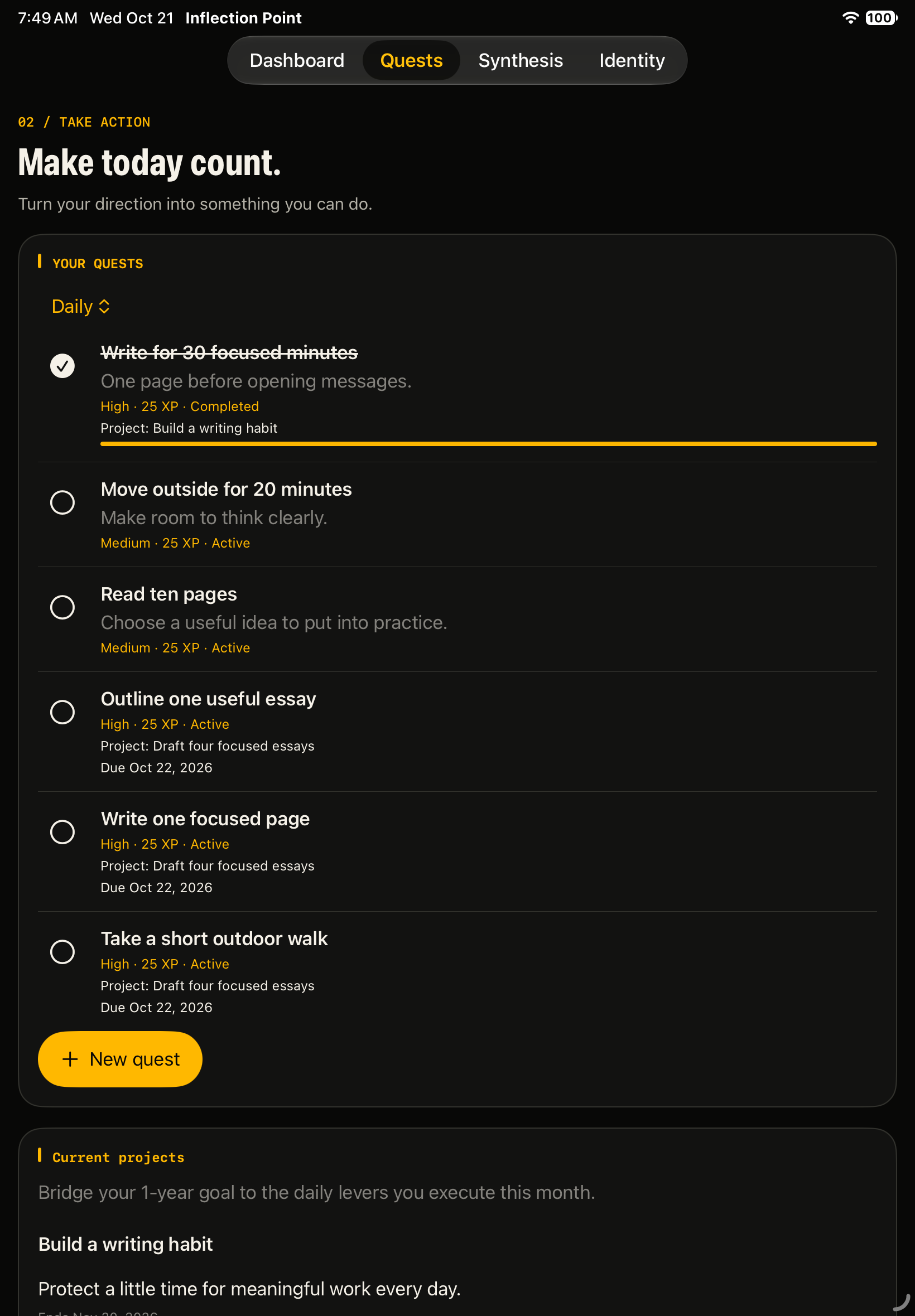
Quests

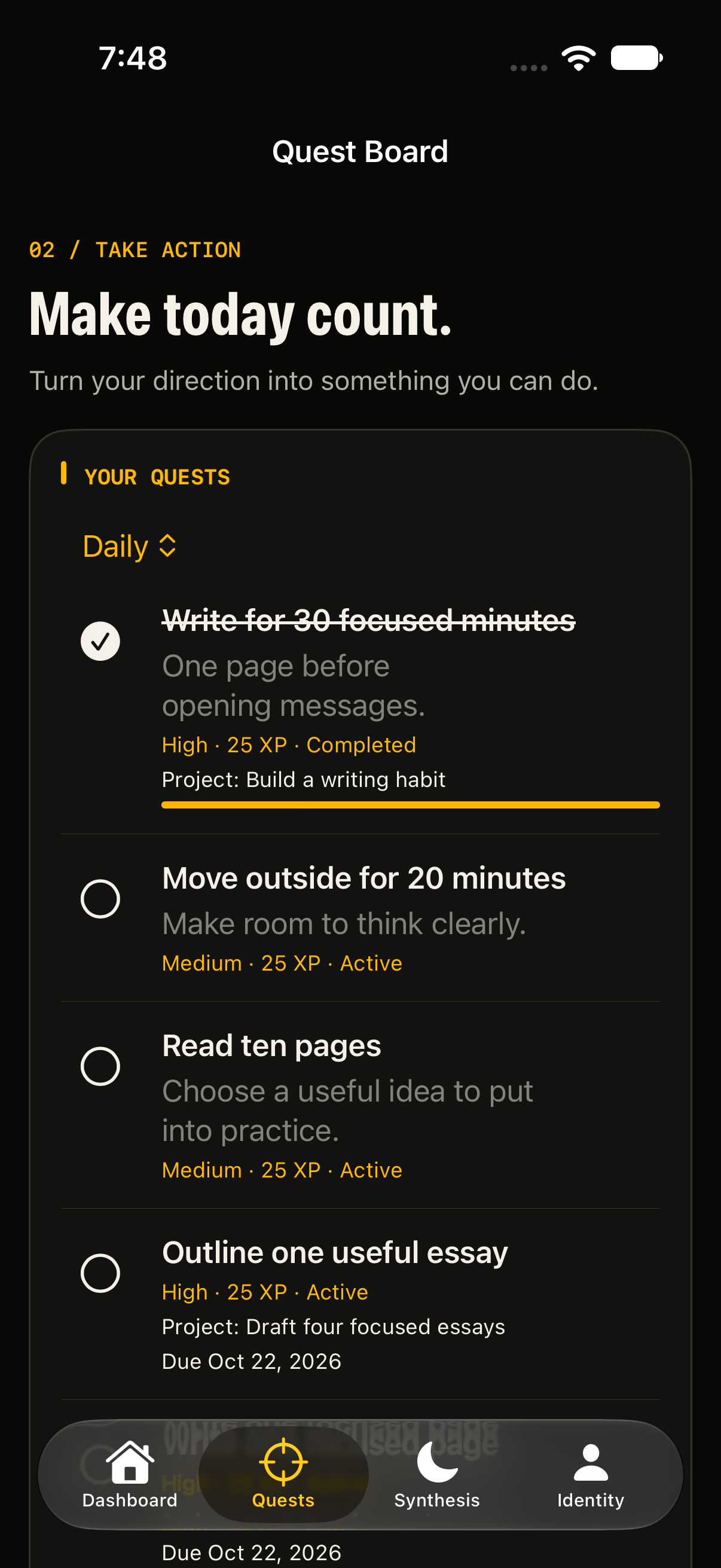
Connect goals and projects to daily quests.

Synthesis

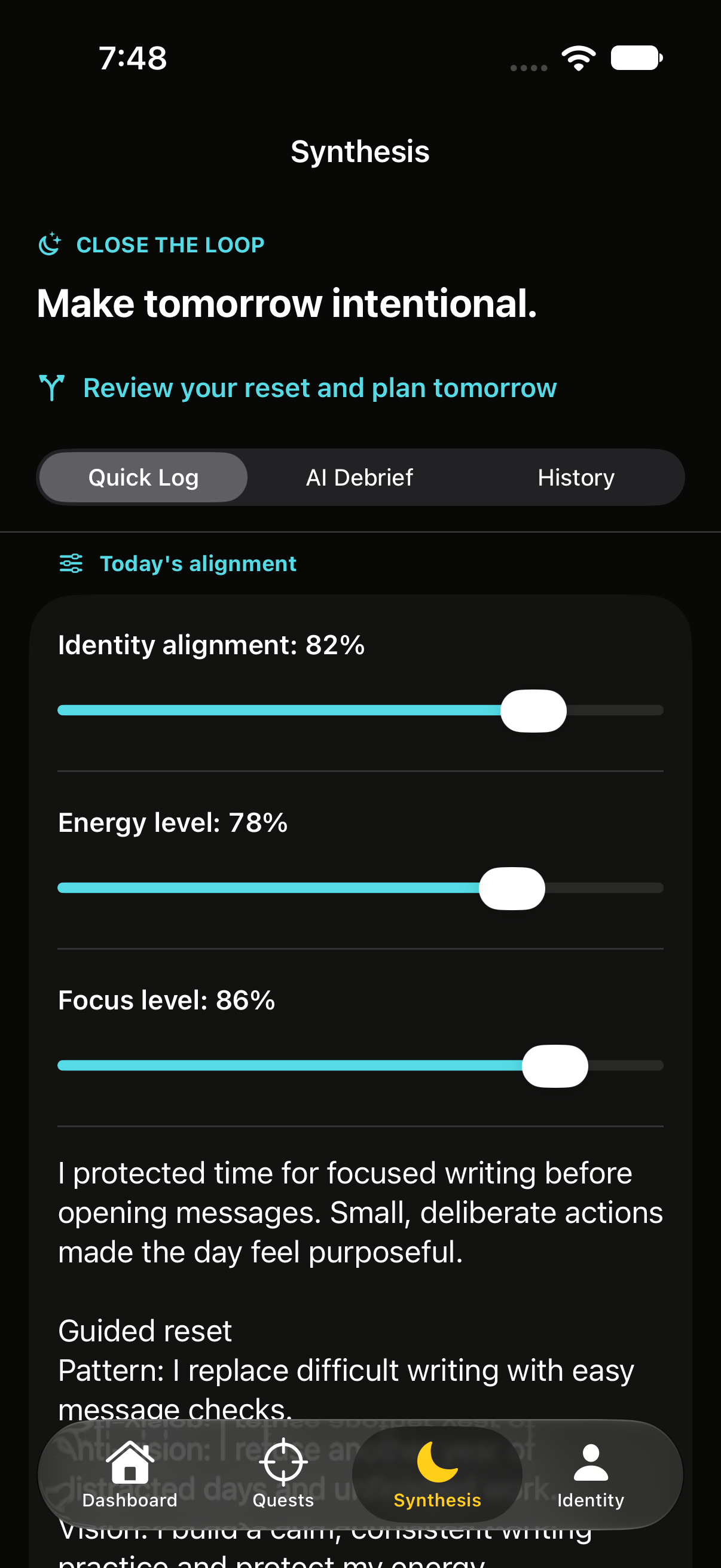
Record your day and the lessons to carry forward.

Identity

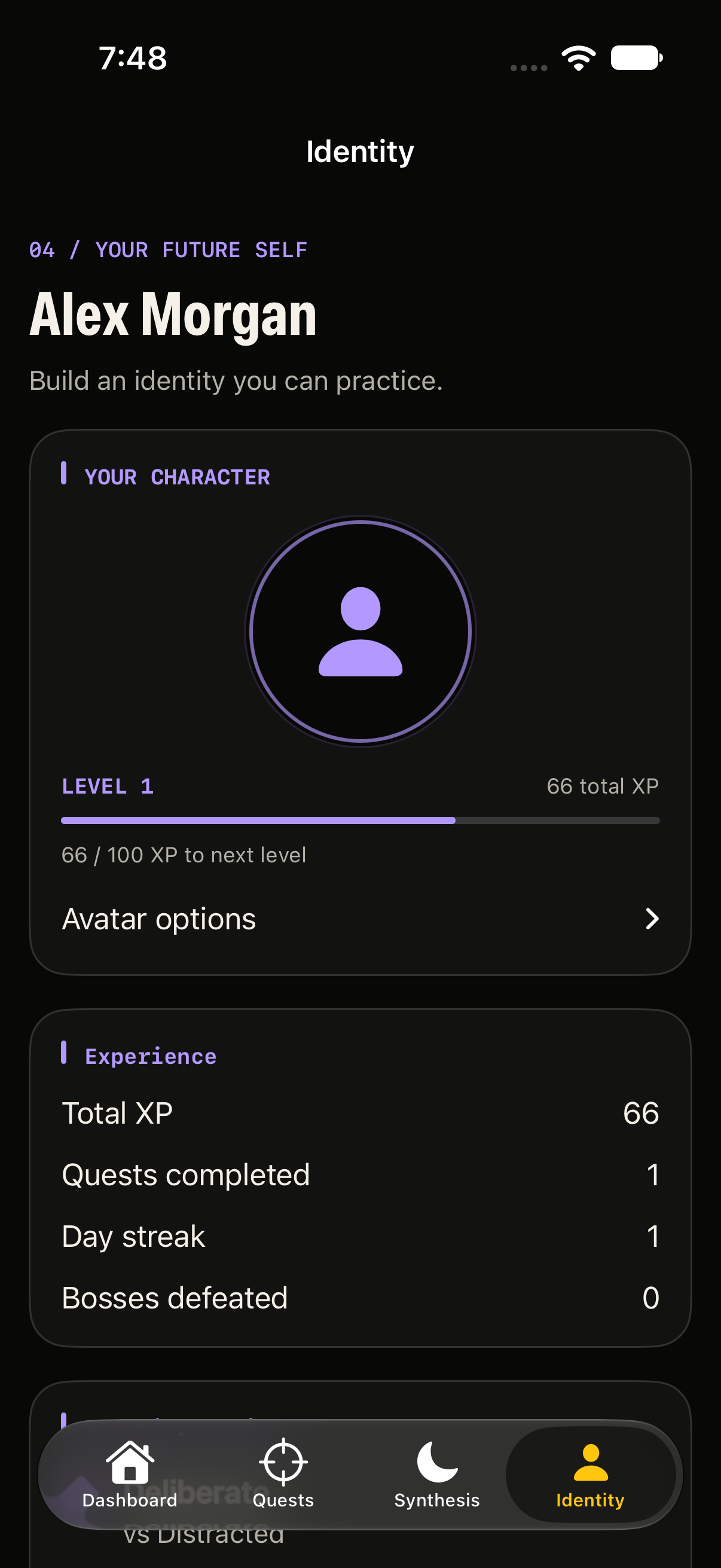
Keep the traits and vision behind your goals close.

Room to reflect

The same practice, on iPad.

Native iPad support keeps your Dashboard, Quests, Synthesis and Identity within reach. Your journal stays on the device where you write it; there is no app-managed cloud sync.

Your direction, on iPad

Build 11 source · iPad simulator · Fictional sample data

A plan you can act on

Build 11 source · iPad simulator · Fictional sample data

iPhone Duo / Preview the beta layouts

More room for your daily practice.

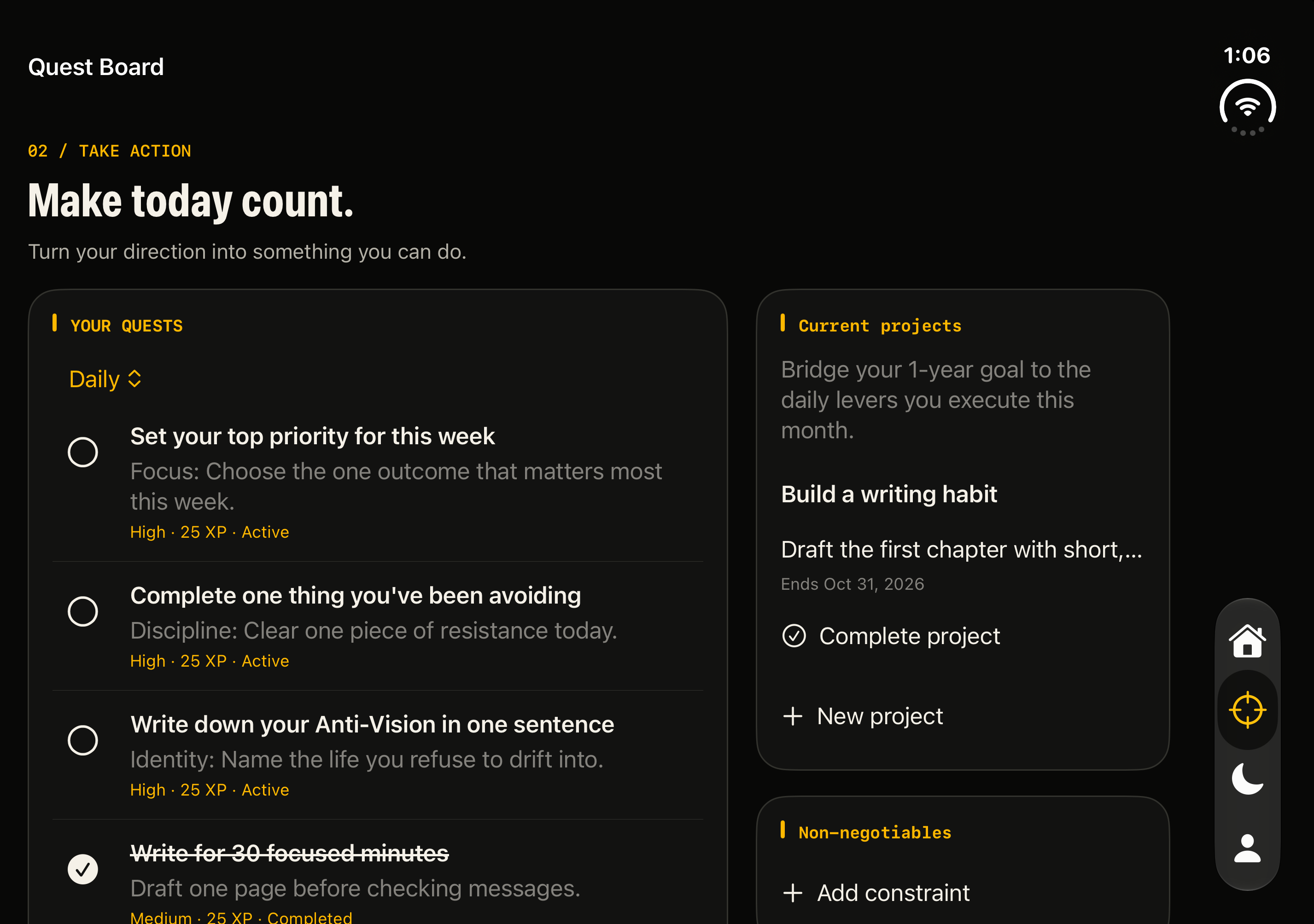
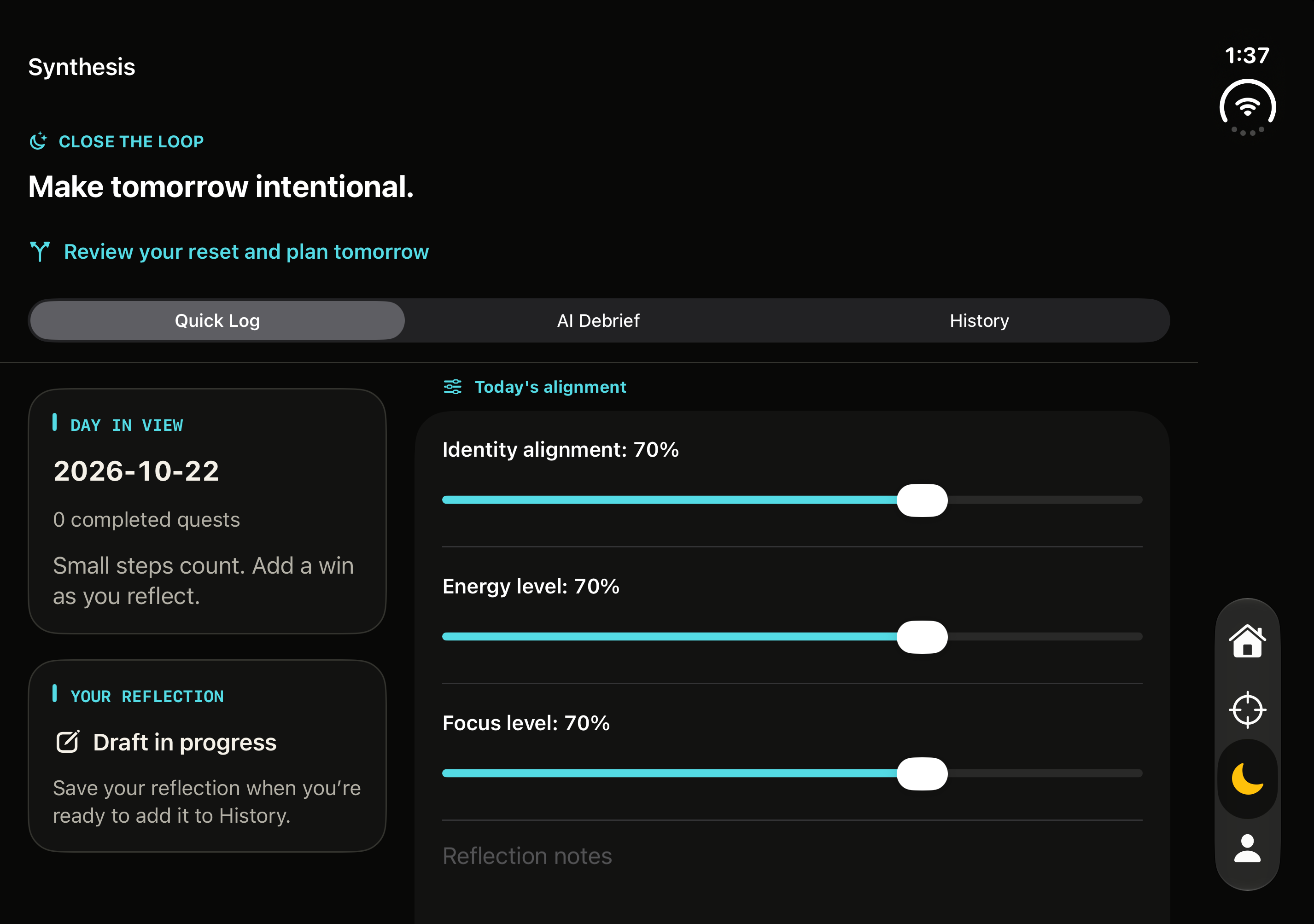
Make space for today's actions and tomorrow's direction. Unfolded Quests puts daily actions beside your projects. Synthesis gives your day's context room beside your reflection, with the familiar Dashboard, Quests, Synthesis and Identity tabs close at hand.

The film and unfolded screens use 2026.10.22 (13) on the iPhone Duo simulator. The guided-reset images below retain their build 12 source. Build 13 is available in the external TestFlight beta. Public release 2026.10.23 (14) and Lifetime Access are waiting for App Review.

Make room for direction.

Quests → Synthesis 10 seconds

Promotional screen-replacement composite · Build 13 simulator UI · Fictional sample data · Silent film

Folding footage: Tim Cook's original post. App screens composited by Inflection Point.

Make today count

Build 13 source · Unfolded iPhone Duo simulator · Fictional sample data

Make tomorrow intentional

Build 13 source · Unfolded iPhone Duo simulator · Fictional sample data

Notice the pattern

Build 12 source · iPhone Duo simulator · Fictional sample data

Choose your next step

Build 12 source · iPhone Duo simulator · Fictional sample data

04 / Access for the pending App Store release

Pay once.
Make it your practice.

The public app will be free to download. One Lifetime Access in-app purchase is required before onboarding or using the full protocol. There is no trial, free protocol tier or subscription.

The full record

One purchase

Lifetime Access

US$14.99 once

  • Daily quests and synthesis
  • Unlimited projects
  • Full saved history
  • Complete journey export

Configured US price for the pending public release. One non-consumable purchase, with no recurring billing. Apple shows the localized price before purchase.

Testing the beta? TestFlight purchases use Apple’s sandbox and don’t charge you. A beta test transaction is not a production App Store lifetime purchase.

05 / A few answers

Before you begin.

Can I download it now?

Yes, you can join the iPhone and iPad beta on TestFlight. Open the link on your iPhone or iPad, install Apple’s TestFlight app if needed, and follow the invitation to join. Build 13 is the current external beta. Public release 2026.10.23 (14) and Lifetime Access are waiting for App Review; the public App Store version is not yet available.

Which devices are supported?

The current beta supports iPhone with iOS 26 or later and iPad with iPadOS 26 or later. Manual planning, the guided reset and Quick Log work without Apple Intelligence. Optional AI features have additional hardware, language, region and availability requirements, described below.

Is the iPhone Duo update available?

Build 13 includes the Duo layouts in the external TestFlight beta. The Quests and Synthesis promo uses genuine build 13 simulator screens composited into folding footage. Draft-continuity changes keep open drafts in memory until you save; unsaved text can be lost if the app is terminated. Public release 2026.10.23 (14) and Lifetime Access are waiting for App Review.
How does payment work?

For the pending public release, the app will be free to download. A single non-consumable Lifetime Access in-app purchase is required before onboarding or using the protocol. The configured US price is US$14.99 once; Apple shows your localized price before purchase. There is no trial, free protocol tier, subscription or recurring charge.

During the beta, purchases in TestFlight use Apple’s sandbox and are free of charge. They don’t carry over as production App Store purchases. Existing eligible lifetime ownership and preserved historical paid access are separate from beta test transactions. See Apple’s TestFlight purchase guidance.

What happens to older reflections?

The planned lifetime purchase includes your full saved reflection history. Older saved entries remain on your device. Earlier Expo versions could delete older entries; upgrading cannot recover entries already removed. See the Privacy Policy for version differences.

What’s in a journey export?

The planned release provides complete JSON export of your journal collections, including guided reset responses, daytime check-ins and reviewed plans, with an embedded avatar when present. Export and recovery of existing data remain available without a purchase. Purchase, historical preview/usage and reminder preferences are separate. Earlier Expo exports were partial; see the Privacy Policy for version differences.

Do I have to use AI?

The guided reset and Quick Log are written by you; no AI is required. The planned native release uses Apple Intelligence for an optional daily debrief on your device, with no cloud debrief fallback. It requires an eligible iPhone or iPad, supported language and region, Apple Intelligence enabled, and the model ready. Use Quick Log when it is unavailable.

Optional avatars use Apple’s system Image Playground after you agree to share selected text and identity context. This is separate from the on-device debrief: on iOS 27 and iPadOS 27, Apple’s image generation uses Private Cloud Compute and system usage limits. You can use a photo or camera instead. Read the Privacy Policy before sharing information.

How do I restore a lifetime purchase?

Choose Restore purchases on the Lifetime Access screen, or in Settings if you already have access. Use the Apple account that owns the eligible lifetime purchase. Purchase and restore require Apple’s services.

How do I send beta feedback?

Open Inflection Point in the TestFlight app and choose Send Beta Feedback. Share what felt useful, confusing or broken; include your device model, iOS or iPadOS version and steps to reproduce an issue. You can also contact the developer below.

Settings also lets you preview and share a local support report. Review it before sending; sharing is your choice. Read the Privacy Policy for what the report includes and the diagnostic controls available.

Your next chapter

Make tomorrow
intentional.

Try the iPhone and iPad beta on TestFlight and help shape the app.
The public App Store release is waiting for App Review.

Join on TestFlight

Opens Apple’s TestFlight signup page. Requires iOS 26 or iPadOS 26 or later.

Contact the Developer